Boss AI
SOAP extension · CGT 390 AI
A Boss decision system that scores available actions against the current combat situation. I built the selection algorithm and connected behaviors supplied by teammates.
- Project
- AI course team project
- Engine
- Unreal Engine · Blueprints
- Foundation
- Existing S.O.A.P game
Demo
My contribution
Decision algorithm
I wrote the Blueprint logic that reads combat conditions, scores candidate actions and selects the next behavior. The main challenge was deciding which action to use and when as the player moves around the arena.
Teammates provided the individual attacks, pathfinding and behavior-task nodes. I connected those behaviors through the decision system.
Relationship to SOAP
This was a separate AI-course assignment built on our team’s existing SOAP game. The case study focuses on the added Boss decision system; the base game and its other systems are documented on the SOAP project page ↗.
Decision system
A distant player can also be moving quickly, and the best attack for that situation may still be on cooldown. In BTS_BossScoring, I combine these competing conditions into action scores, then check availability before choosing a behavior.
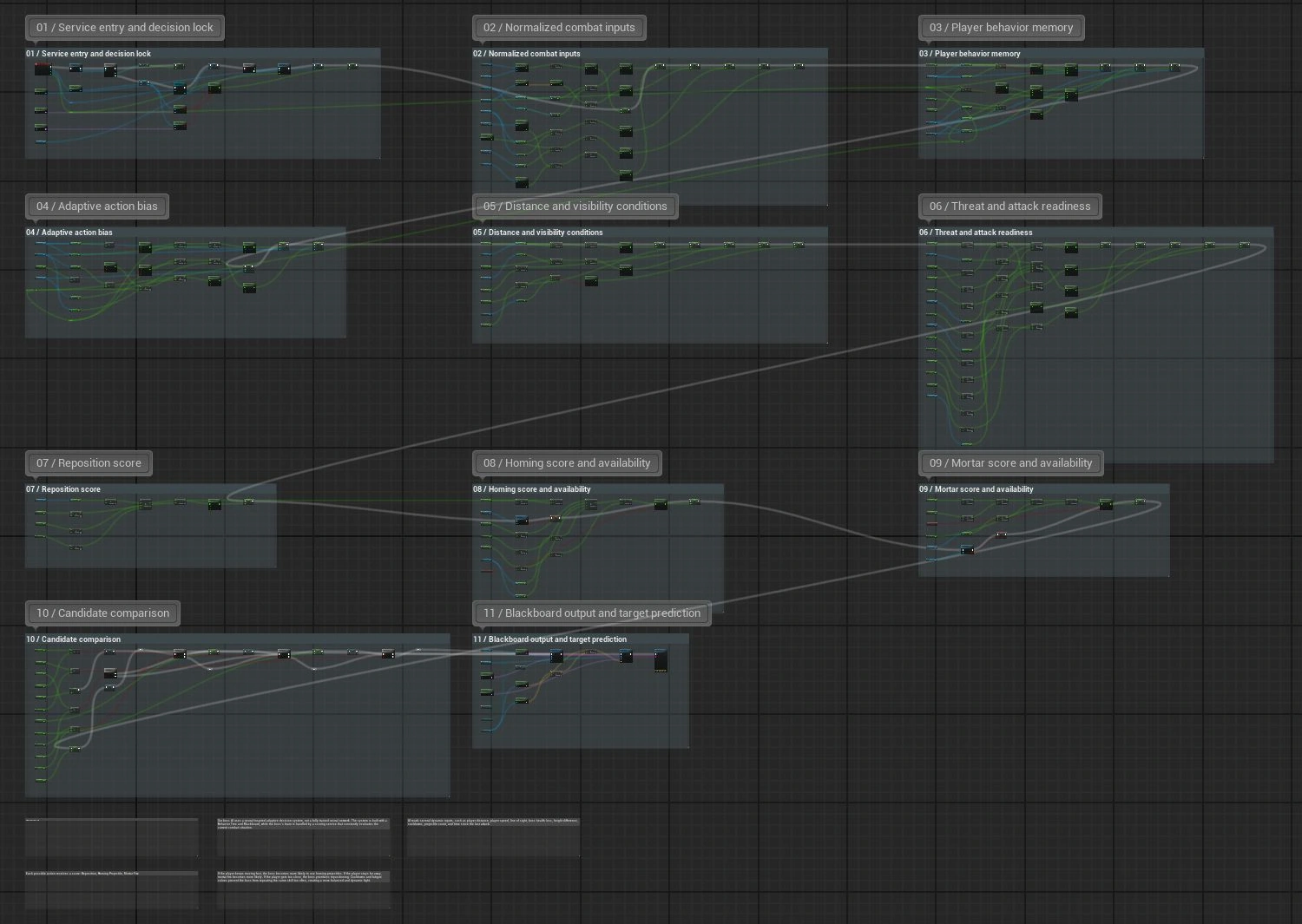
1. Score
Weight combat signals and adaptive bias; subtract fatigue.
2. Filter
Check cooldown and capacity. Keep the score if usable; otherwise use −999.
3. Select
Compare scores. A higher candidate replaces BestScore and BestAction.
4. Publish
Write BestAction to CurrentAction so the Behavior Tree runs the selected task.
Weighted action scores
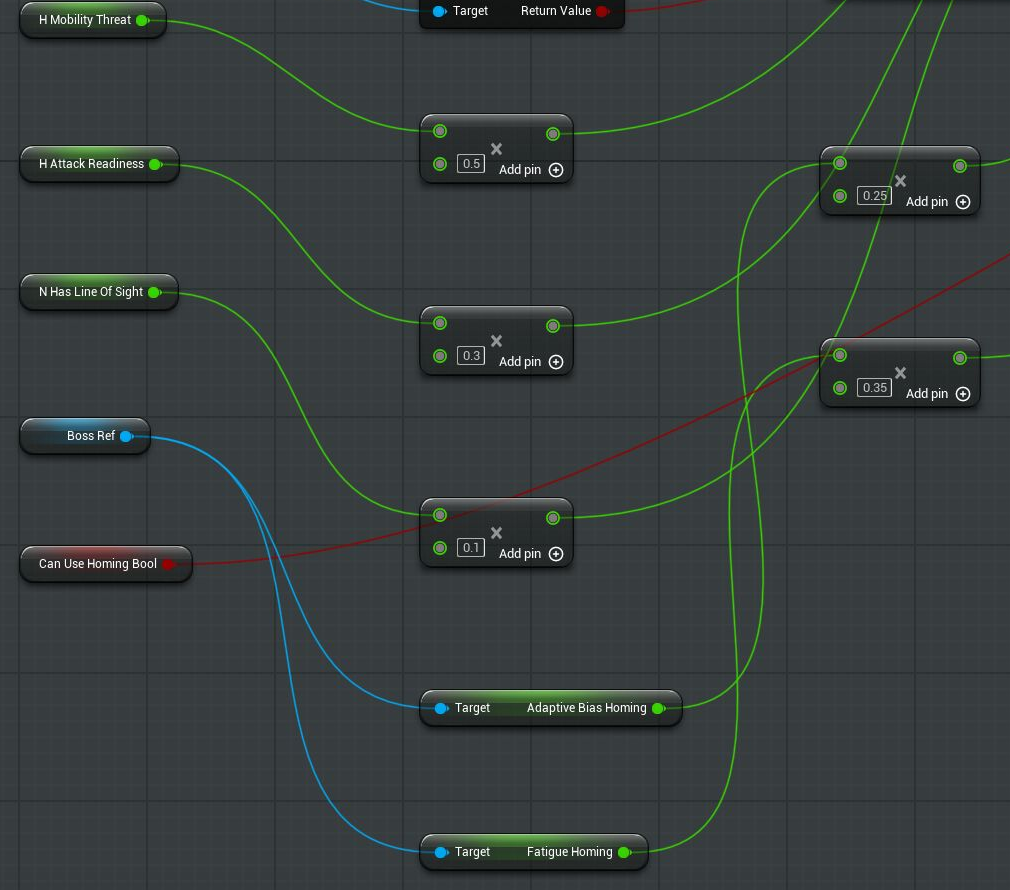
I normalize inputs such as distance and player speed before combining them into values such as mobility threat and attack readiness. The Homing score below adds these weighted signals, line of sight and adaptive bias, then subtracts a fatigue penalty. The weights let movement, timing and visibility influence the same decision without treating them as equally important.
- Combat inputs
- 0.5 × mobility threat + 0.3 × attack readiness + 0.1 × line of sight
- Score adjustments
- + 0.25 × adaptive bias − 0.35 × fatigue
- Availability gate
CanUseHoming→ calculated score when true; −999 when false
Action selection
These are the selection preferences documented in the scoring Blueprint. Other inputs and availability checks also affect the final choice.
| Combat situation | Preferred response | Purpose |
|---|---|---|
| Player moves quickly | Homing projectile | Use a tracking attack against a moving target. |
| Player stays far away | Mortar fire | Apply pressure at range. |
| Player gets too close | Reposition | Create space before the next attack. |
Cooldown and capacity
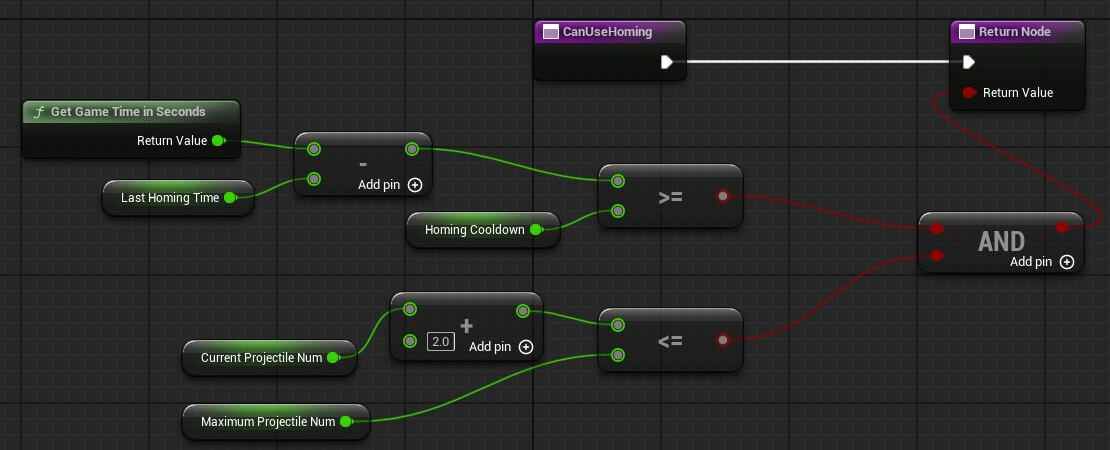
A high score is not enough to make an attack usable. CanUseHoming requires both conditions: time since the last Homing attack must reach its cooldown, and the current projectile count plus 2 must stay within the maximum. This separates tactical preference from the limits on when an attack can run.
Filter the score
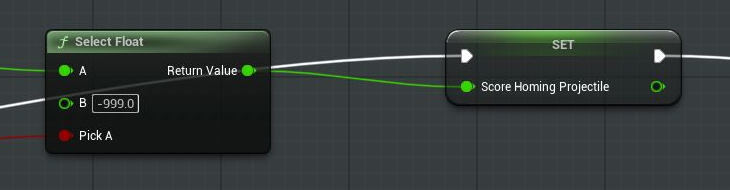
The result feeds Select Float: true keeps the weighted Homing score; false assigns −999 before comparison. Fatigue has a different role: it reduces preference for a usable attack instead of blocking it. DecayFatigue receives Delta Seconds to reduce that penalty over time.
Highest-score selection
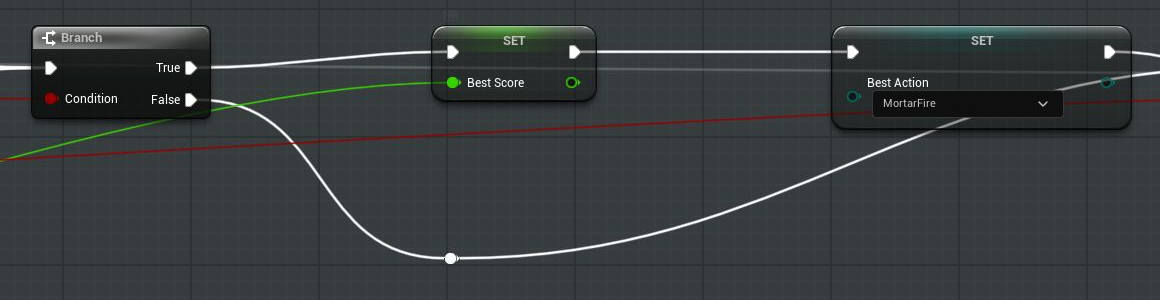
The comparison initializes BestScore and BestAction with Reposition, then checks Homing and Mortar in turn. In the detail below, Score_MortarFire > BestScore takes the true branch and updates both values. The false branch keeps the previous winner. Updating the score and action together prevents a winning score from being paired with the wrong behavior.
Behavior Tree integration
Decision handoff
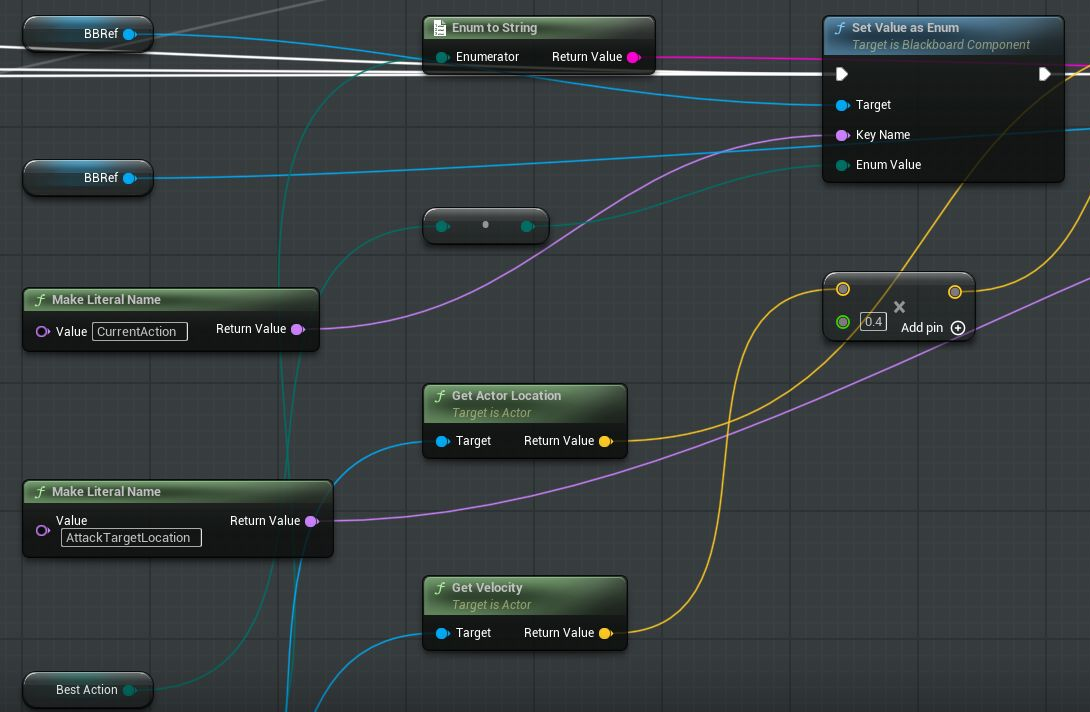
The service writes BestAction to the Blackboard’s CurrentAction. Behavior Tree branches read that enum to run the matching task supplied by teammates. It also writes AttackTargetLocation using player position + velocity × 0.4, providing a 0.4-second projected target alongside the selected action.
Decision locking
Repeated scoring must not overwrite a decision while its behavior is executing. At the service entry, IsDecisionLocked gates the scoring path: a locked decision skips reevaluation. Lock and unlock tasks coordinate this boundary with the Behavior Tree.
Select and publish
Write the chosen action and target to the Blackboard.
Lock and execute
Run the matching behavior while reevaluation is blocked.
Unlock
Allow the service to score the updated combat state again.
Return to select and publish